You can change the email address associated with your Guardian account by following the steps below.
1. Log in to your account on the Guardian portal: https://iseb.eva.tech/guardian
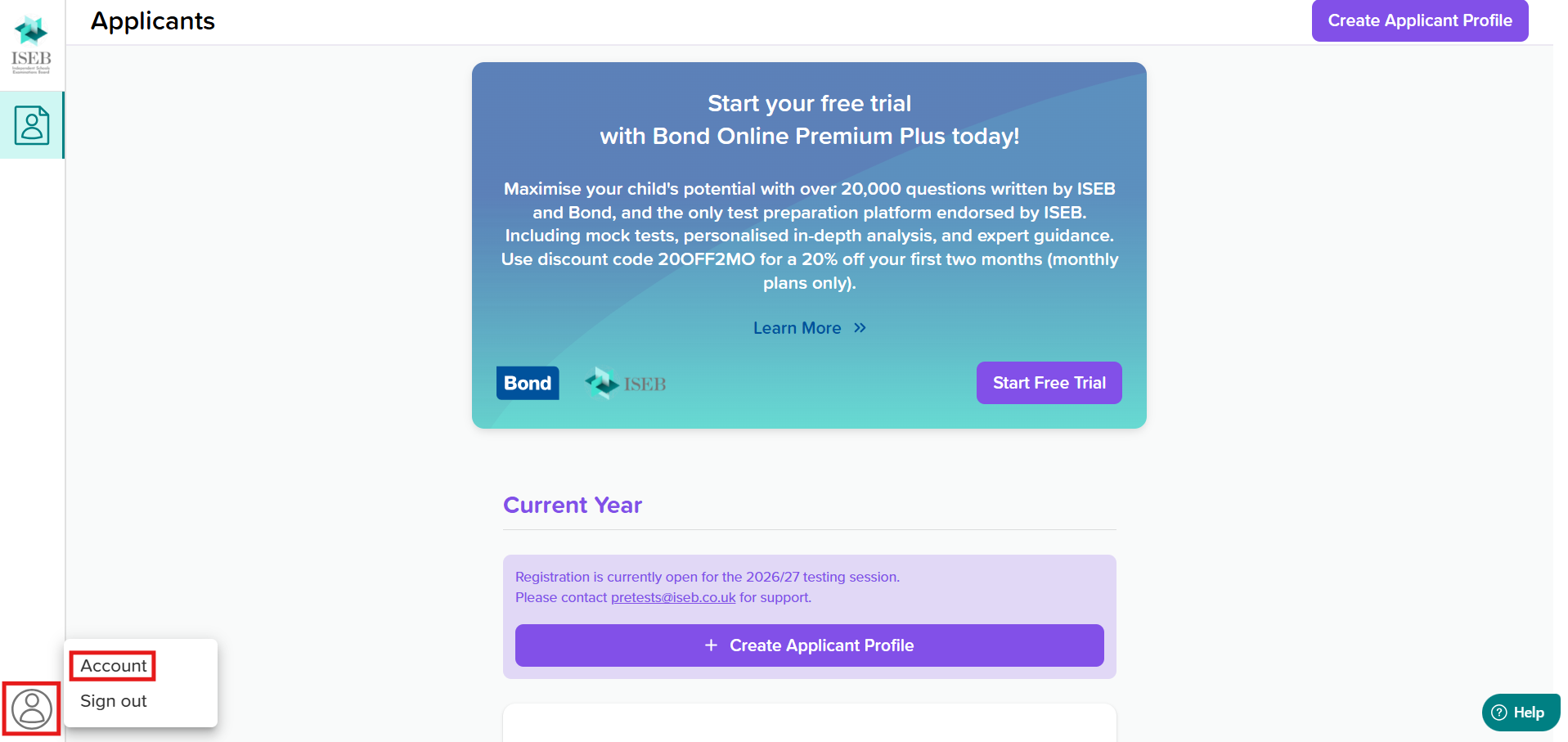
2. Click on the account icon in the bottom-left corner of the screen, and click 'Account':
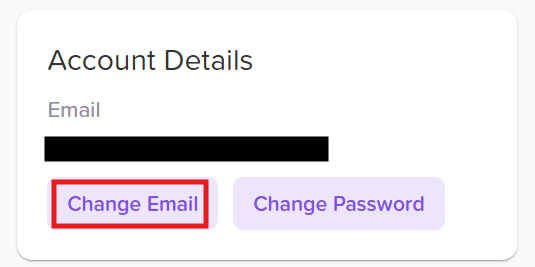
3. Under 'Account Details', click 'Change Email':
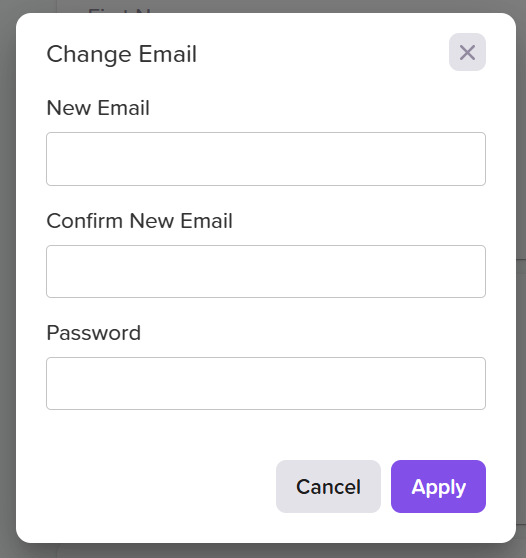
4. In the pop-up box, fill in the details of your updated email address and input your Guardian account password, then click 'Apply' to submit this information:
The new email address will then appear under the 'Account Details' section.
If you experience any issues updating your email address, please contact our support team by submitting a support ticket or emailing us at pretests@iseb.co.uk.
Was this article helpful?
That’s Great!
Thank you for your feedback
Sorry! We couldn't be helpful
Thank you for your feedback
Feedback sent
We appreciate your effort and will try to fix the article